Privacy and security
Reading the screen
When your assistant looks at your screen and what it keeps.
Screen observation is switched off by default. If you switch it on, text is created from the screen on your computer. Only when you ask about it does a matching excerpt go to the language model. On a work device, screen observation needs a works agreement.
Settings › Screen
 Windows
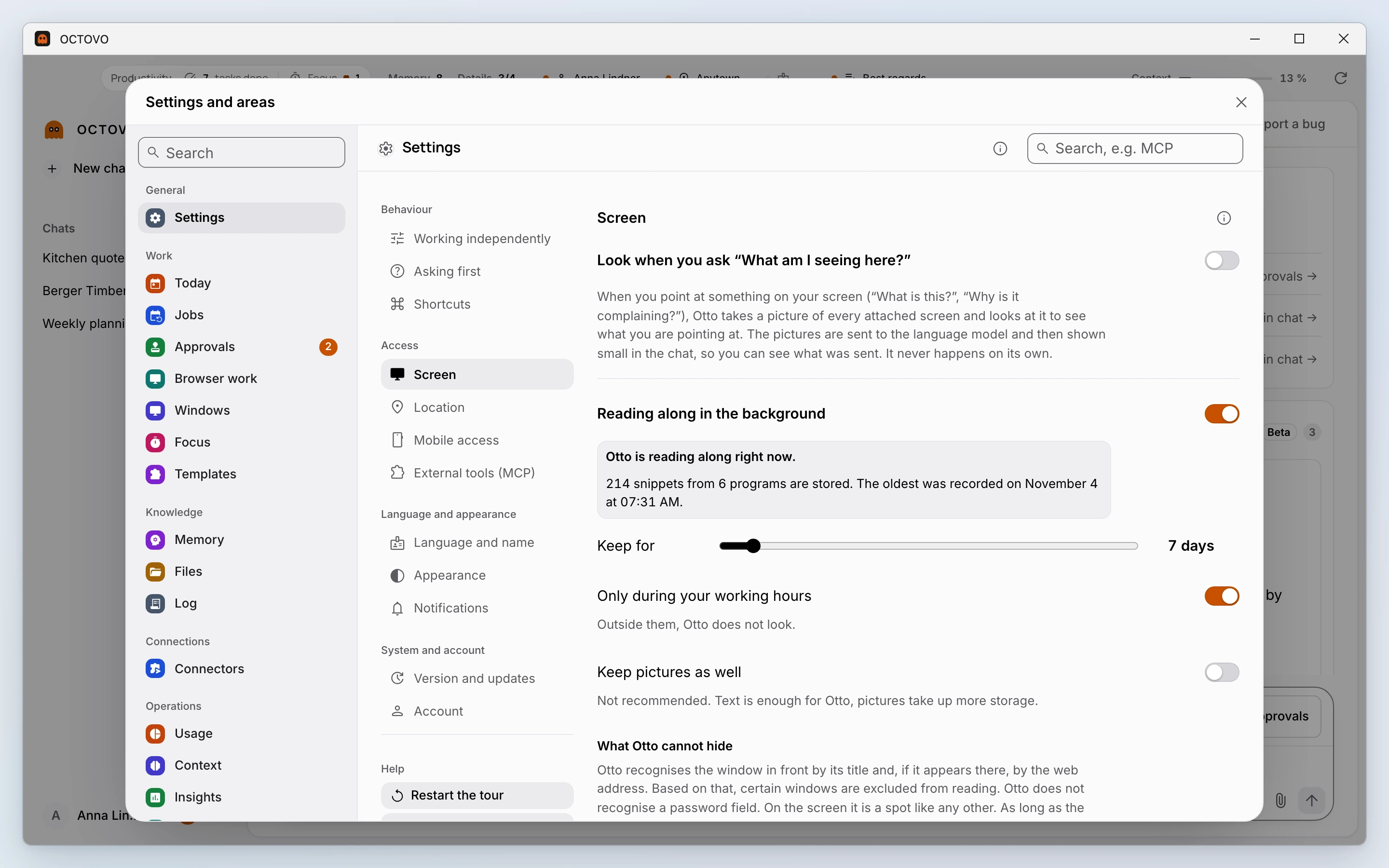
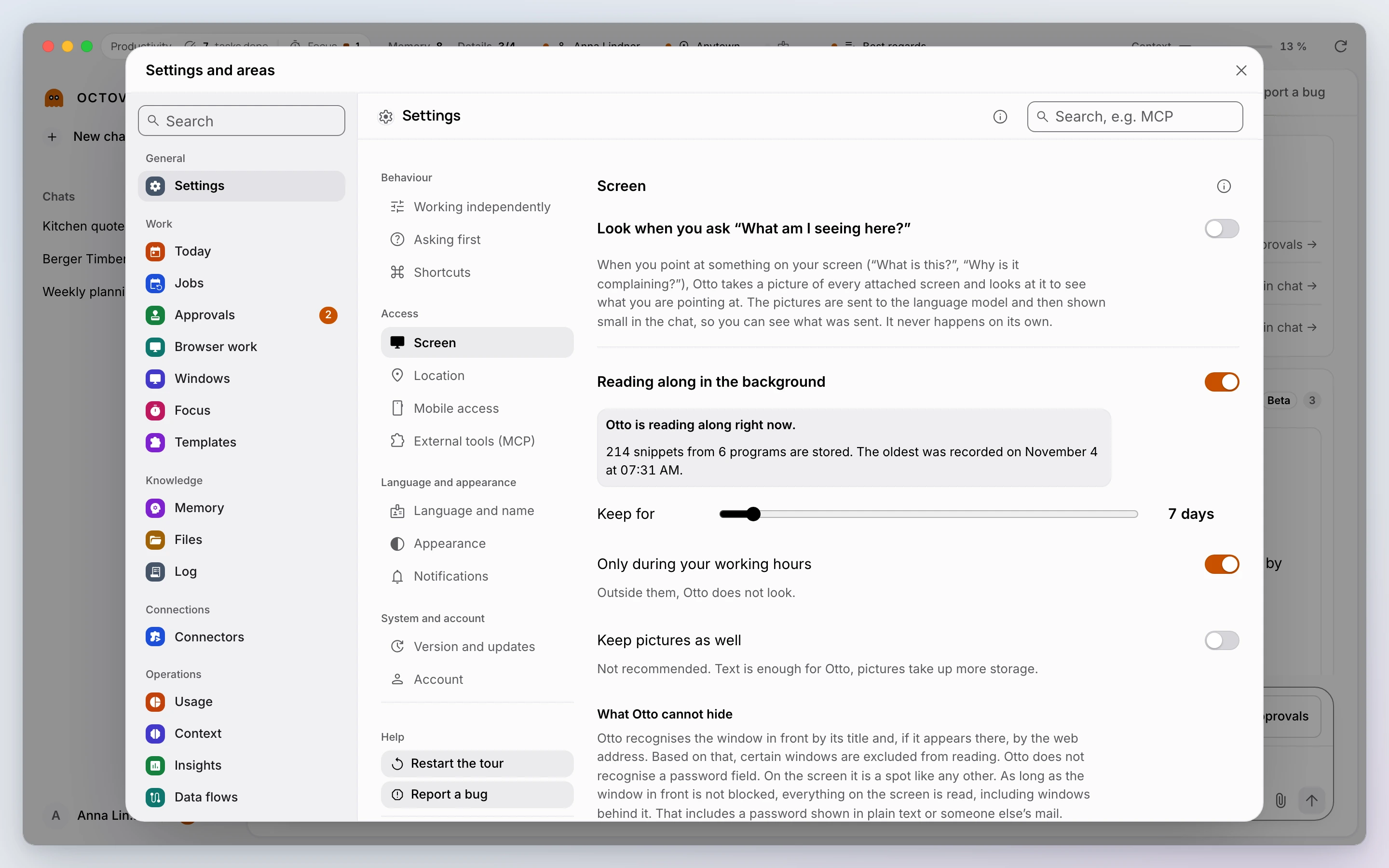
Here you switch reading along on and set how long the text stays.
What you see:
- Reading along in the background switches observation on.
- Only during your working hours limits it to your working hours.
- Keep for how long the read text stays; the default is 7 days.
- Keep pictures as well also stores pictures; not recommended.
What is never read
 Windows
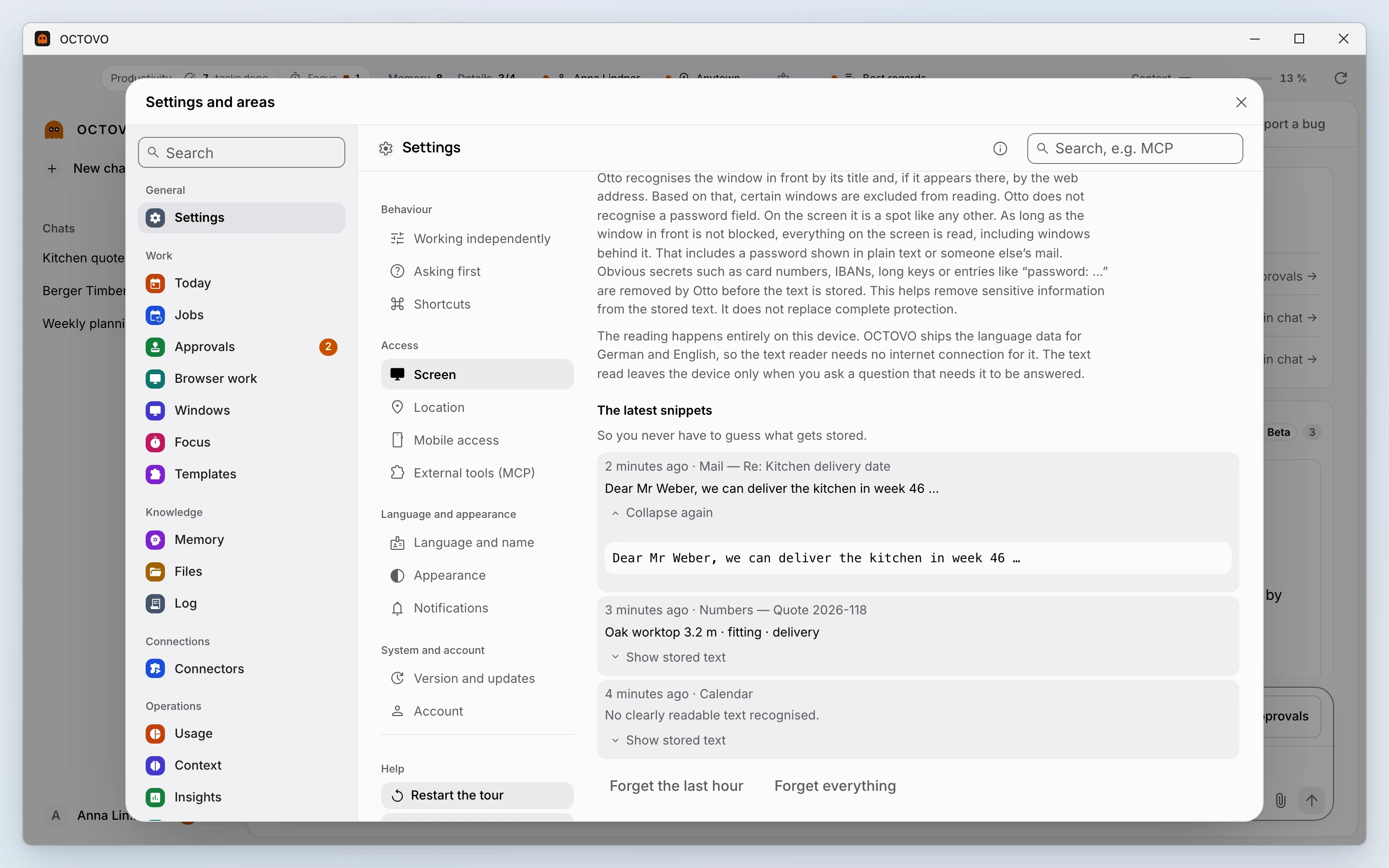
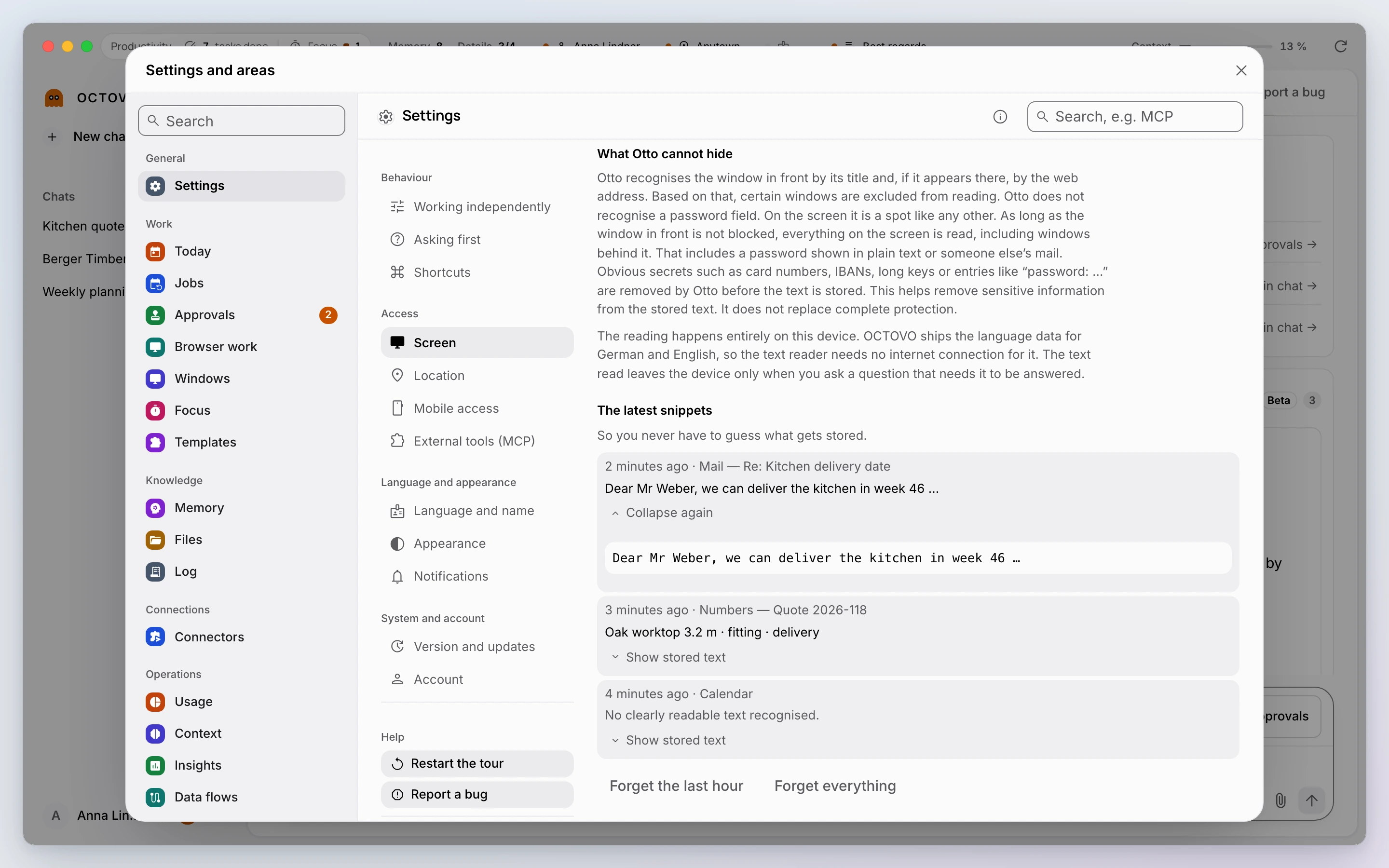
If a password manager, a banking or sign-in page or a private window is in front, the image is not read at all. Recognisable card numbers, IBANs, keys and confirmation codes are removed before storing.
What you see:
- Show stored text shows what is stored right now.
- Forget the last hour deletes the text from the last hour.
- Forget everything deletes all read text.
macOS
Permission on the Mac
When you switch it on, macOS asks for screen recording permission. You grant it under “System Settings” › “Privacy & Security” › “Screen Recording”.
What you see:
- Screen Recording the entry where OCTOVO has to be switched on.