Connectors
Messages: WhatsApp and more
Connect messengers.
On this page
Your assistant can read messages and reply after your approval. You can connect WhatsApp, Telegram and, on the Mac, iMessage.
Connecting WhatsApp
 Windows
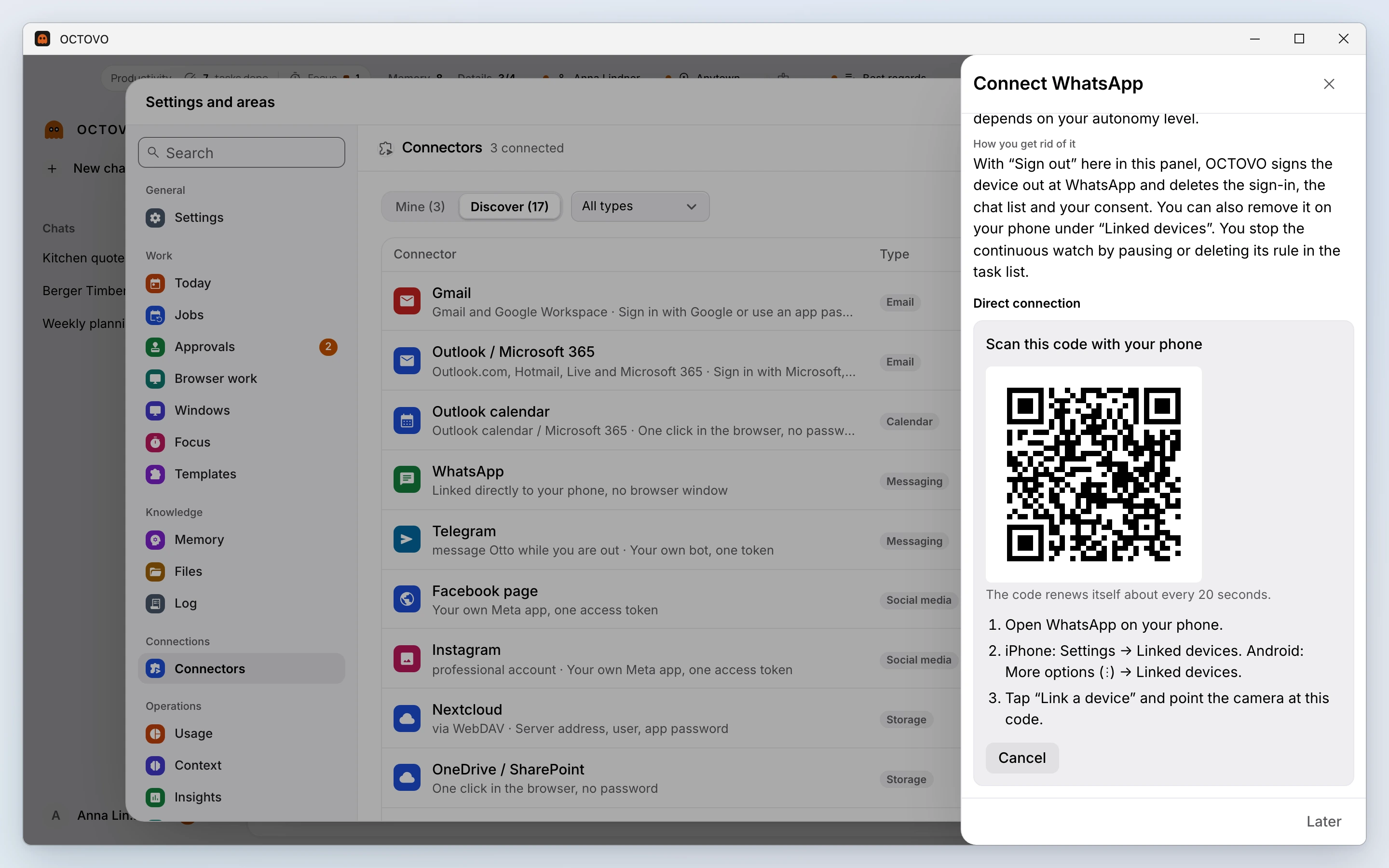
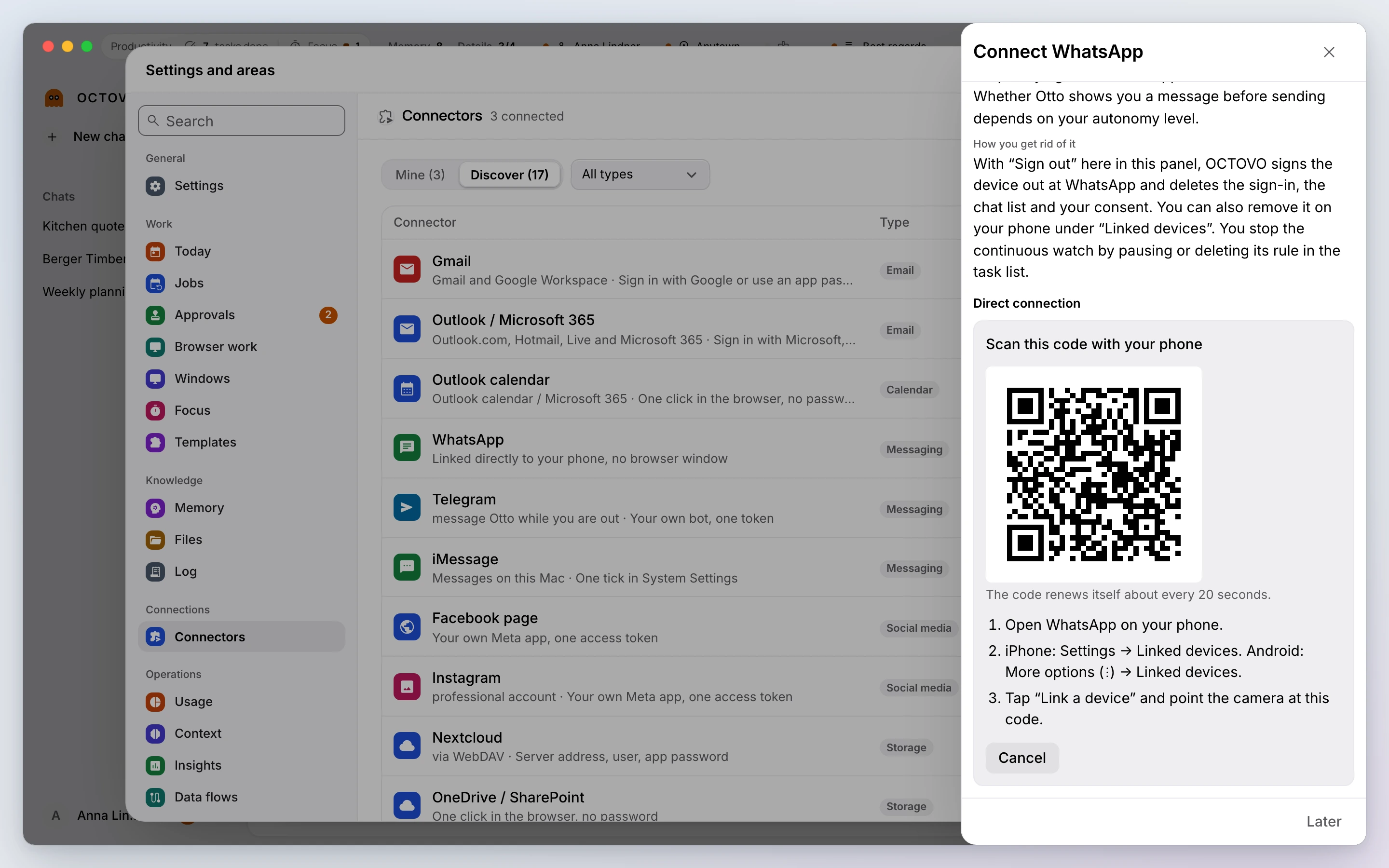
First choose the connection method. Both methods are unofficial: Meta does not intend a program to operate a private WhatsApp and can ban your number. If you want it anyway, you type out a consent sentence. OCTOVO then shows a QR code: open WhatsApp on your phone, go to “Linked devices”, tap “Link a device” and point the camera at the code. It renews itself about every 20 seconds.
What you see:
- Connection method “Through WhatsApp Web” (in its own browser window) or “Direct” (faster and without a browser window).
- Scan this code with your phone the QR code for linking.
- Sign out signs the device out of WhatsApp and deletes sign-in, chat list and consent, after “Yes, sign out”.
Telegram
 Windows
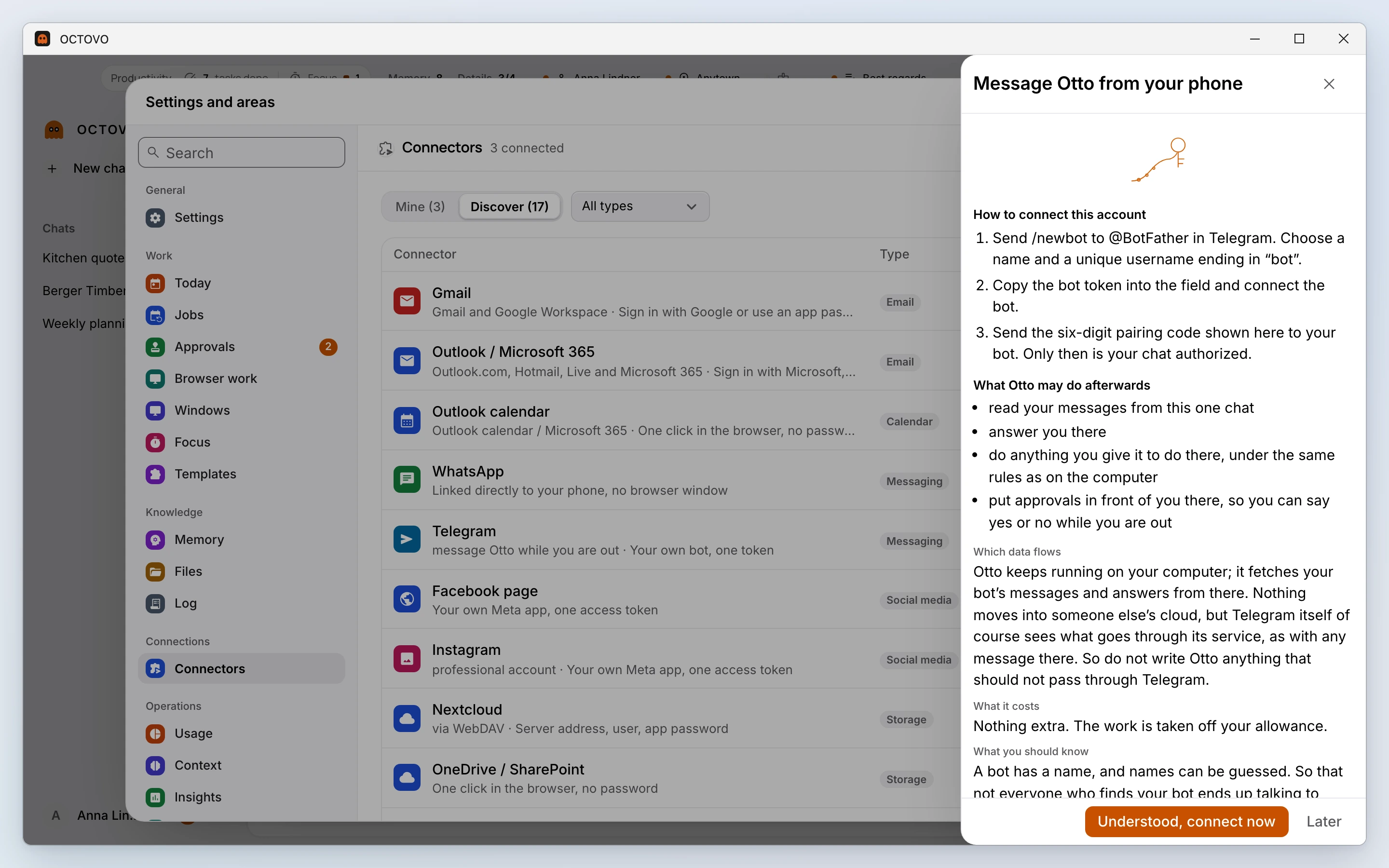
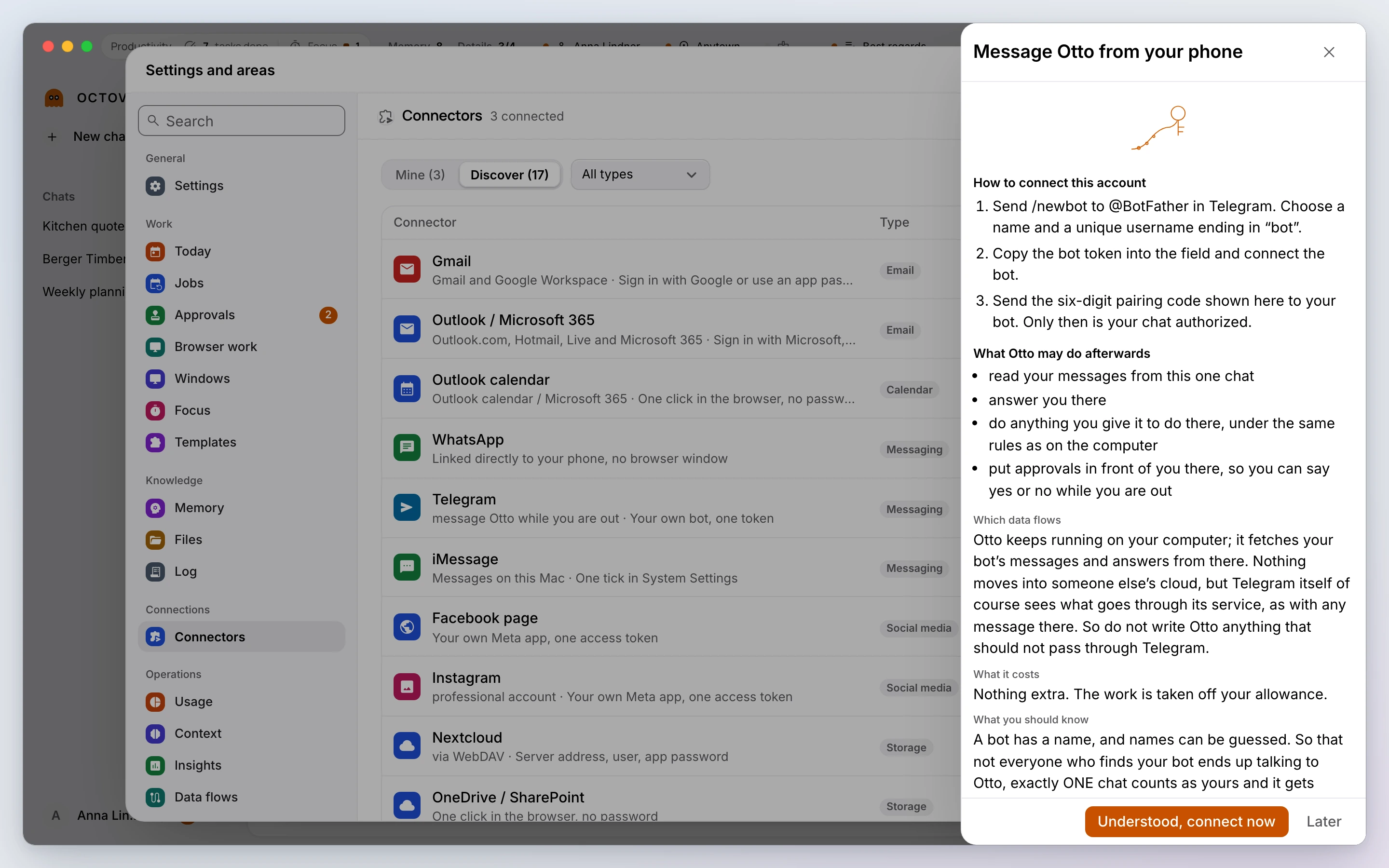
For Telegram, create a bot with @BotFather and enter its token.
What you see:
- Bot token from @BotFather your bot’s token.
macOS
iMessage
iMessage is only available on the Mac. OCTOVO reads the Messages app on your Mac for this.