Privacy and security
Where your data stays
What stays on the computer and what leaves it.
On this page
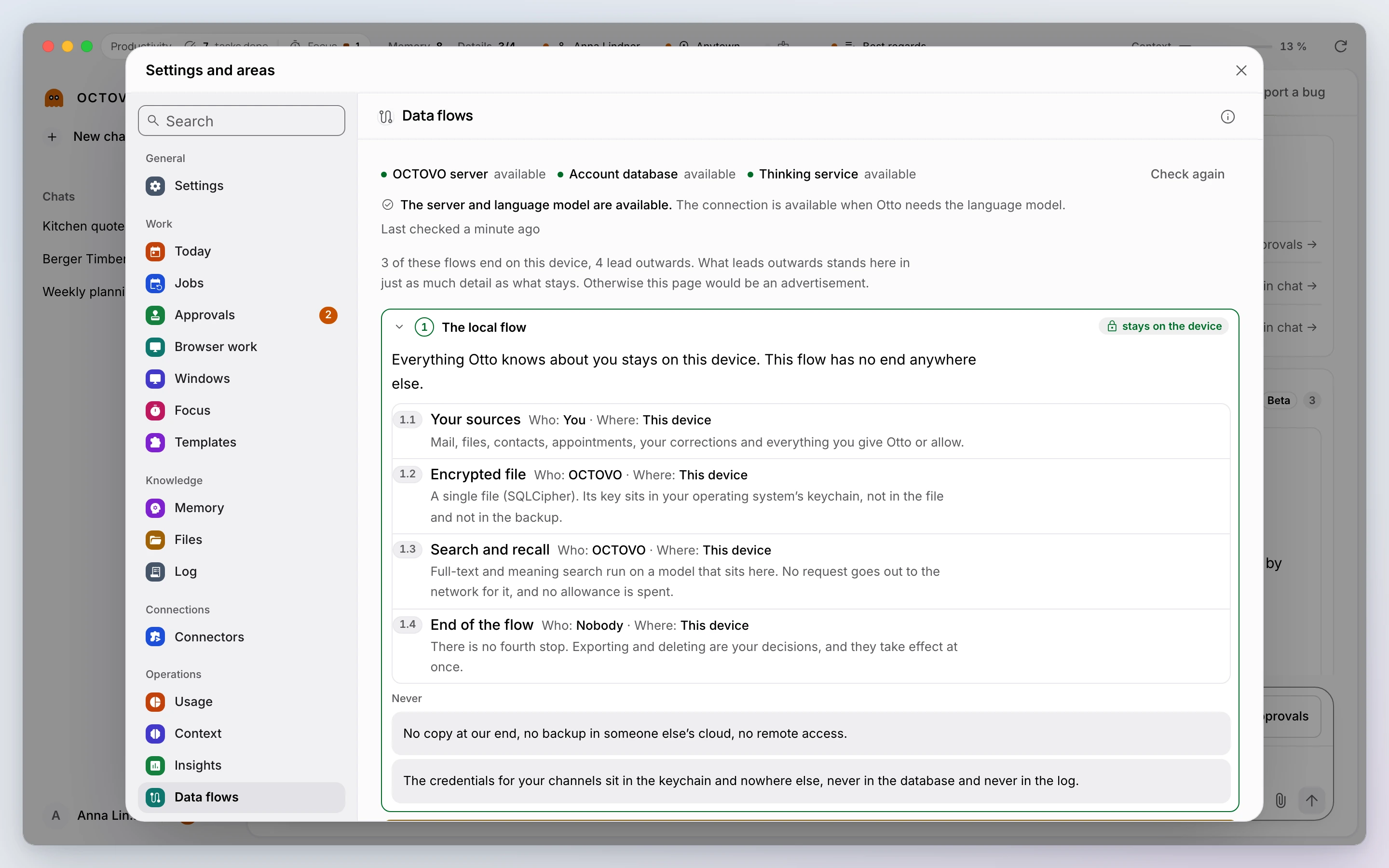
Everything your assistant knows about you stays on your computer. Only what a single question needs goes out. The “Data flows” window (sidebar, “Operations”) shows each route on its own.
The “Data flows” window
 Windows
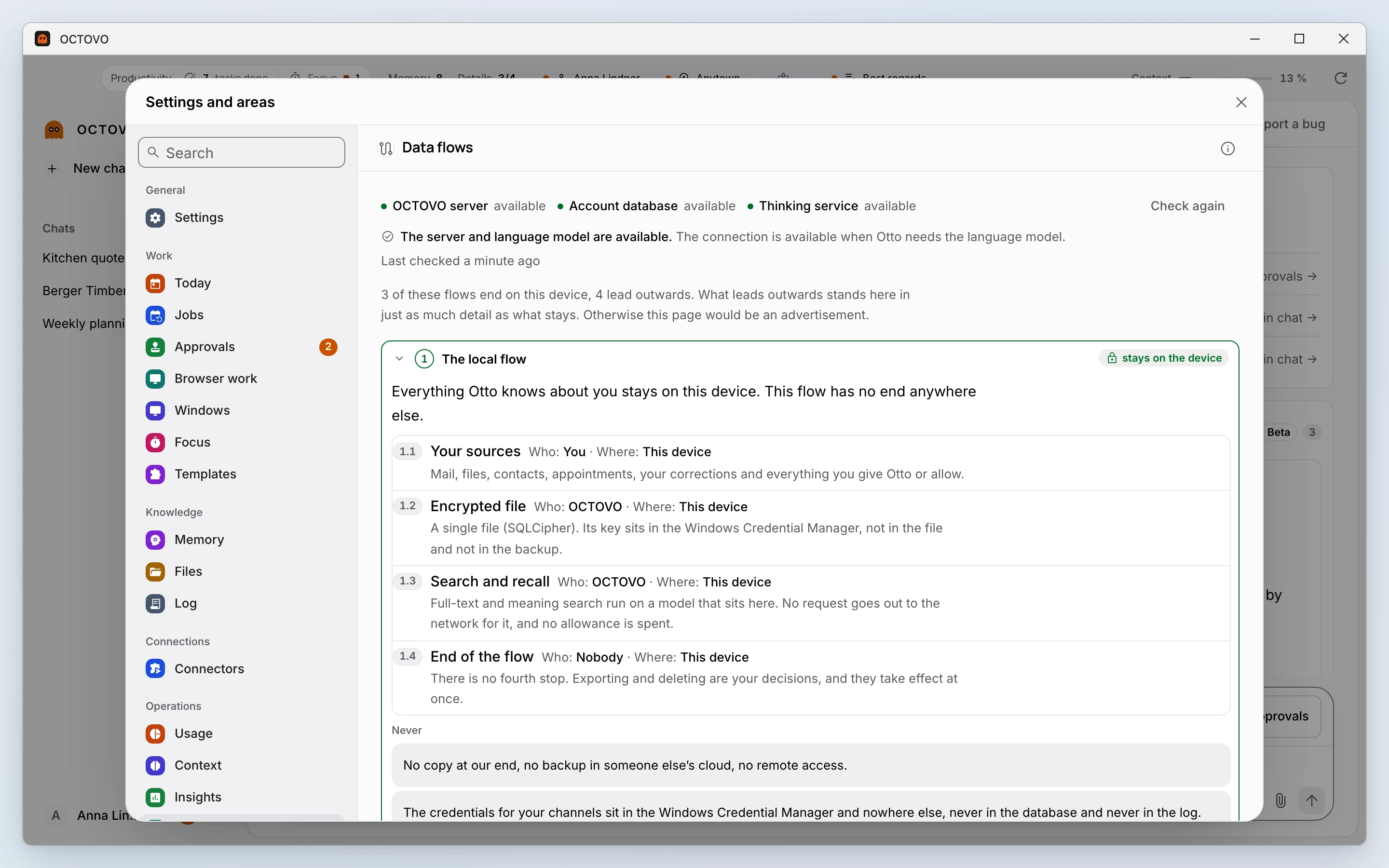
For each route you see where the data is processed and which providers are involved. Each stop is marked as staying on the device or leaving it.
What you see:
- The local flow everything your assistant knows about you. It has no end anywhere else.
- The mail flow / The calendar flow nobody stands between your mailbox or calendar and your computer, not even the OCTOVO server.
- The thinking flow for a question an excerpt goes out, never your whole mailbox or your whole memory.
- The account flow who you are and what you have booked.
- stays on the device / leaves the device the label on every stop.
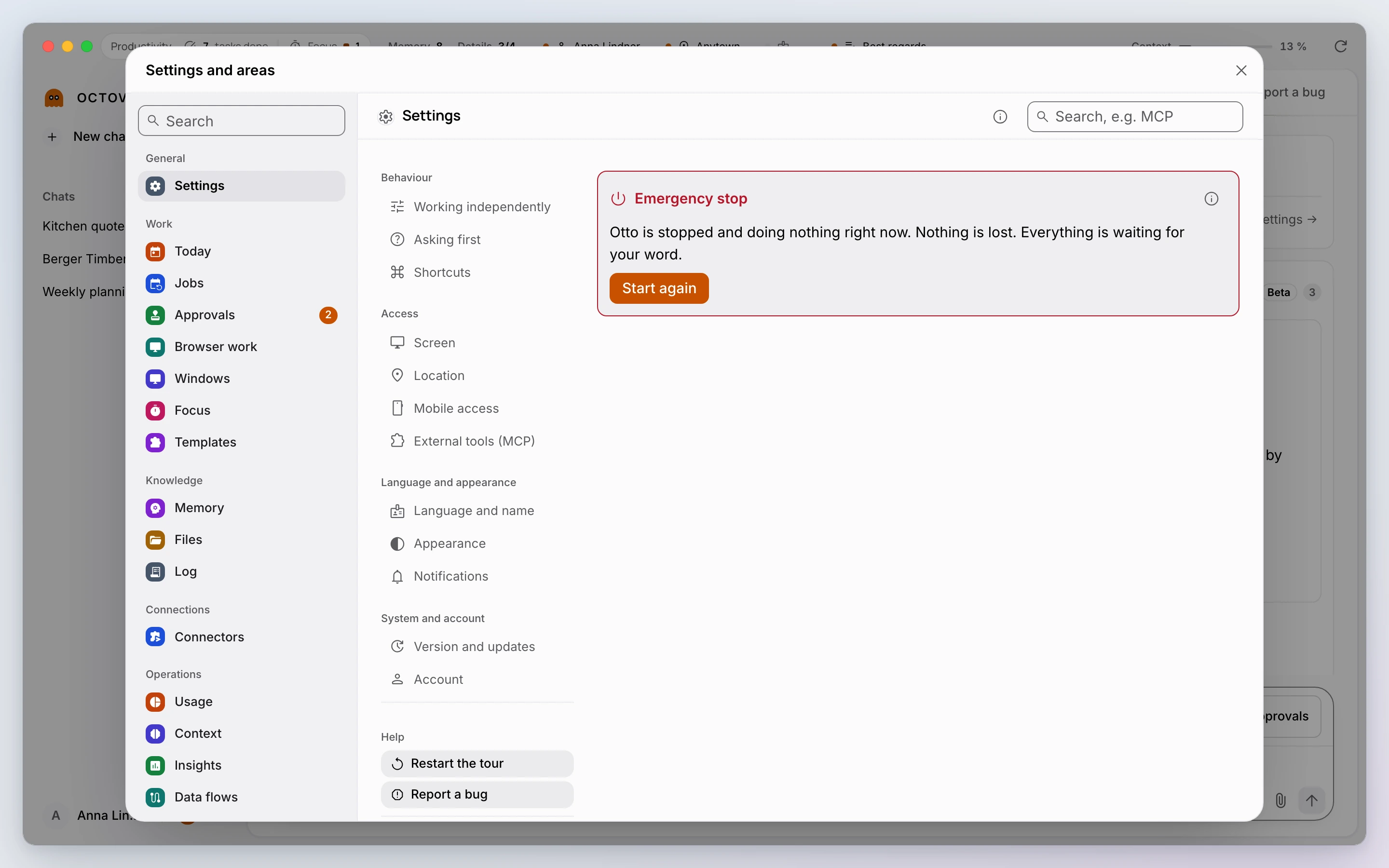
Emergency stop
 Windows
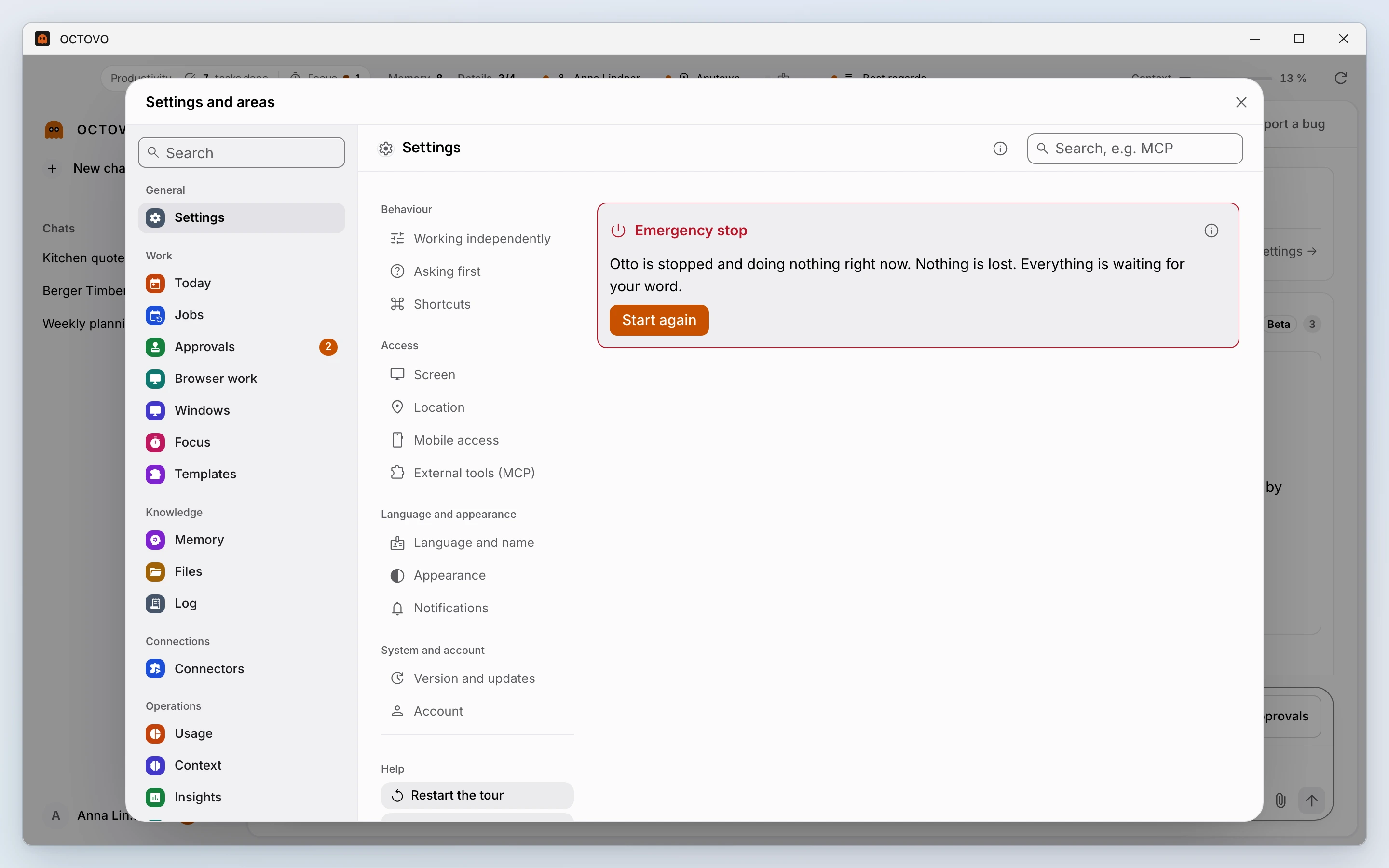
Under “Settings” › “Emergency stop” you halt all automatic processes at once: no jobs, no mail, no reading along. Nothing is lost, everything waits until you start again.
What you see:
- Stop everything stops all automatic processes.
- Start again lets your assistant carry on working.
← Back: Your data and deleting your account · Next: Reading the screen →